
- Email Usadmin@nwavuxeni.co.za
- Call Us+27 71 420 0731
-
FeedbackComplain


A spreadsheet is a digital tool that organizes data into rows and columns, allowing users to store, sort, and analyze information easily. Spreadsheets automate repetitive calculations using formulas and functions.

Create at least 8 rows and 5 columns of mixed data (text, numbers, dates)
Basic Formulas:
Addition: =A1+B1
Subtraction: =A1-B1
Multiplication: =A1*B1
Division: =A1/B1
SUM: =SUM(A1:A4)
Label Cell: Contains text (e.g., “Name”)
Data Cell: Contains numbers or dates
Formula Cell: Contains formulas (e.g., =SUM(B1:B5))
Show formulas: Formulas → Show Formulas
Excel will highlight errors like #DIV/0! or #VALUE!
File → Save As
Choose format:
Excel: .xlsx
CSV: .csv
Text: .txt
HTML: .html
Template: .xltx
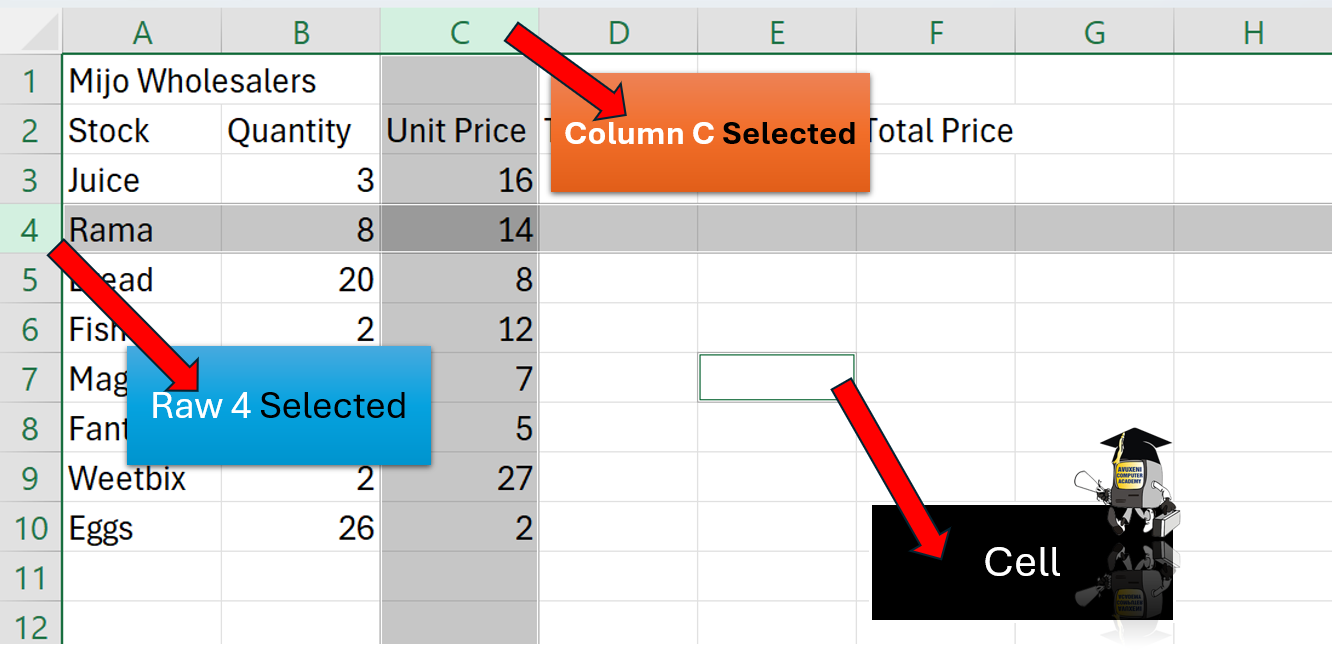
Single Cell: Click once
Range: Click and drag
Entire Column: Click column letter
Entire Row: Click row number
Entire Sheet: Click triangle at top-left
Move: Cut (Ctrl+X), Paste (Ctrl+V)
Copy: Ctrl+C
Delete: Right-click → Delete
Auto Fill: Drag the bottom-right corner of a cell (fill handle)
Ctrl+F = Find
Ctrl+H = Find and Replace
Change Text (General, Number, Currency, %, Date)
Font Type/Size/Color
Bold, Italic, Underline, etc.
Strikethrough, Superscript, Subscript
Horizontal: Left, Center, Right
Vertical: Top, Middle, Bottom
Text Direction: Rotate or angle text
Right-click cell → Format → Fill → Choose colour
Row Height: Right-click → Row Height
AutoFit Row: Double-click bottom row border
Column Width: Right-click → Column Width
AutoFit Column: Double-click right column border
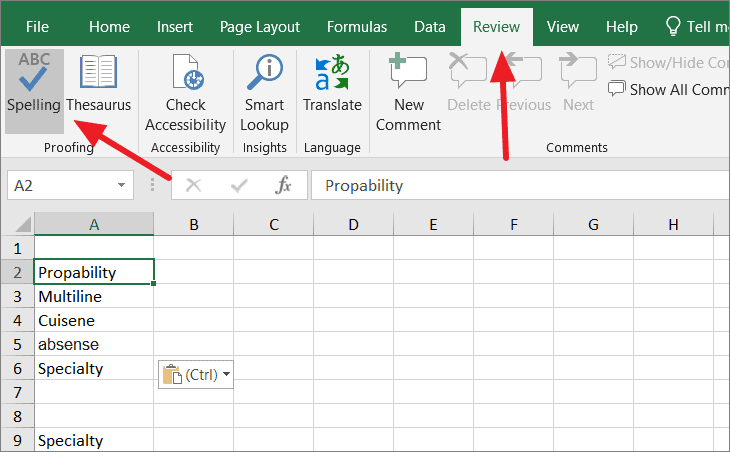
Check Spelling: Review → Spelling
AutoCorrect: Common typos fixed automatically
Add custom words to dictionary
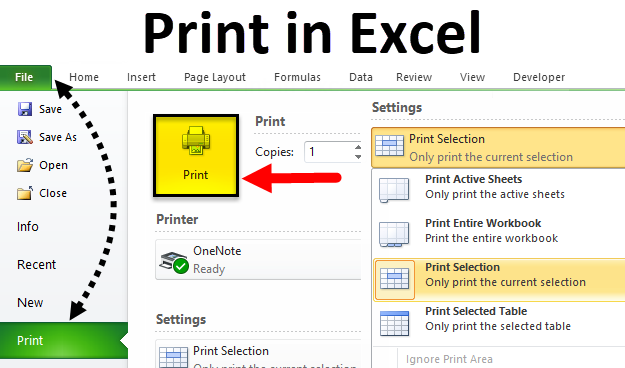
Gridlines: File → Print → Page Setup → Sheet → Gridlines
Row/Column Headings: Same as above
Repeat Rows: Page Layout → Print Titles → Rows to repeat
Print Options:
Entire Workbook
Active Sheet
Selected Are